AI Team Generator
Generate the best Dream11 team today using AI-powered algorithms that analyze player form, pitch conditions, and matchups to create winning fantasy cricket teams.
Get today's best Dream11 team with 3 powerful generators — AI, Smart & Combination. Generate winning fantasy cricket teams, join Dream11 & My11Circle contests in one click. Trusted by 50K+ users.
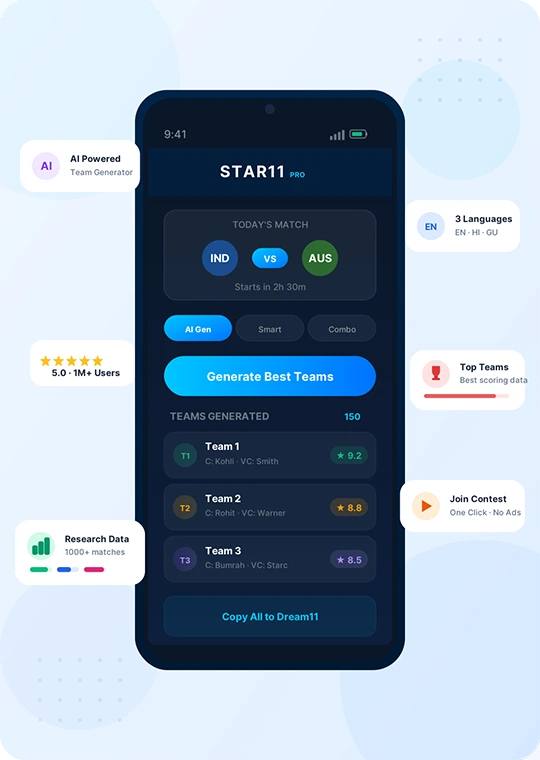
STAR11 is India's #1 fantasy team generator designed to help you get the best Dream11 team today for every match. With three powerful generators — AI Team Generator, Smart Team Generator, and Combination Team Generator — you can create winning fantasy cricket teams tailored to your strategy.
Generate up to 500 Dream11 fantasy teams, auto-copy them to Dream11 & My11Circle, and even join contests in one click — all without watching long ads on platforms. Access match research data from thousands of past matches and top teams data to plan your strategy with confidence.
STAR11 is the ultimate Dream11 fantasy cricket app with powerful tools to generate, copy, and manage your fantasy teams effortlessly.
Generate the best Dream11 team today using AI-powered algorithms that analyze player form, pitch conditions, and matchups to create winning fantasy cricket teams.
Build Dream11 teams smartly by selecting your preferred players, star players, captain & vice-captain choices and let STAR11 generate optimized teams around them.
Create Dream11 fantasy teams with every possible player combination. Generate hundreds of unique teams instantly for mega and small league contests.
Join Dream11 & My11Circle contests directly from STAR11 in one click — no switching apps, no watching long ads on platforms. Save time and never miss a deadline.
See which team combinations scored the best fantasy points in past matches. Use real performance data to pick the best team for Dream11 today's match.
Access research insights from thousands of past matches — player stats, venue history, and head-to-head records to plan your fantasy cricket strategy.
Use STAR11 in your preferred language — English, Hindi, or Gujarati. The full app experience is available in all three languages for ease of use.
Auto-copy your generated teams to Dream11, My11Circle, MyTeam11 & MyFab11 simultaneously. No manual entry needed — just one click.
Manage up to 15 Dream11 & My11Circle accounts across all platforms. Perfect for serious fantasy cricket players who play on multiple IDs.
Learn how to play Dream11 like a pro. Generate your Dream11 fantasy team today in just 3 simple steps.
Get STAR11 free from Google Play Store. The best Dream11 fantasy cricket app — quick install, lightweight.
Sign up with Google and get a 2-day fully functional free trial plan.
Generate today's Dream11 team, auto-copy to Dream11 & My11Circle, and start winning fantasy cricket.
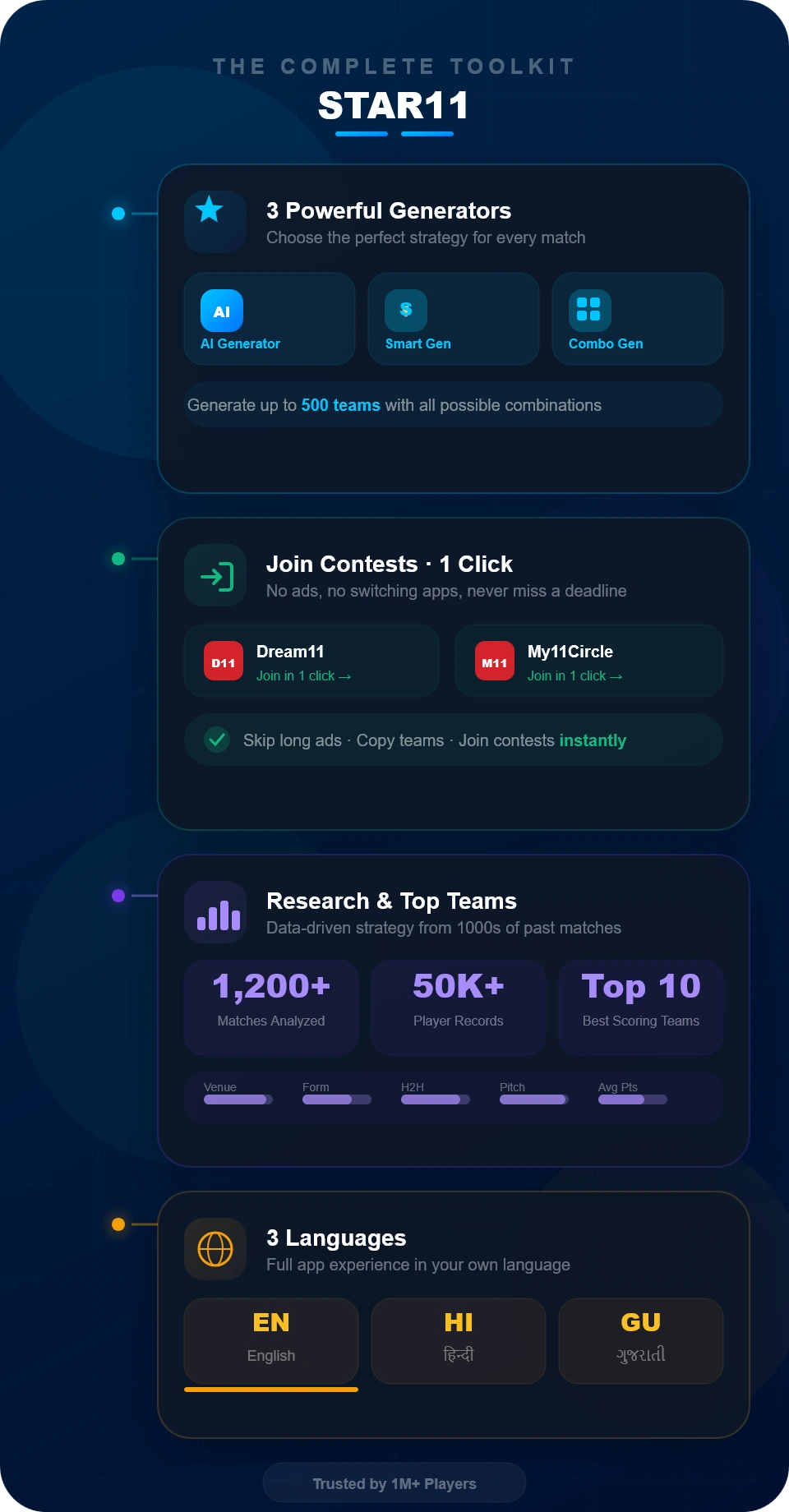
STAR11 is more than just a fantasy team generator — it's a complete toolkit built for Dream11 & My11Circle players who want to win consistently.
Choose from AI Team Generator for smart auto-picks, Smart Team Generator for custom player-based teams, or Combination Team Generator for every possible lineup — all designed to get you today's best Dream11 team.
Join Dream11 & My11Circle contests in one click directly from STAR11 — no need to watch long ads on platforms. Copy teams, join contests, and save time before every match.
Access research data from thousands of past matches and see which team combinations scored the highest fantasy points. Plan your strategy with real data, not guesswork.
Use STAR11 in English, Hindi, or Gujarati. The entire app — menus, match info, and team data — is fully translated so you can play fantasy cricket in your own language.
Affordable Dream11 team generator plans that suit your needs. Start free and upgrade anytime!
Lite Package
Starter Package
Master Package
Basic Package
See why thousands of Dream11 and fantasy cricket players trust STAR11 as their go-to team generator.
“STAR11 has made managing my teams so simple. I can generate multiple teams quickly and update them without any hassle. It saves a lot of time!”
“I love how STAR11 allows me to manage up to 5 accounts across platforms. It's perfect for serious fantasy cricket players like me!”
“Best app for generating bulk teams! The automatic updates feature is a real game-changer, especially for managing teams on Dream11 and MyTeam11.”
Find answers to common questions about STAR11 — the best Dream11 team generator app.
No, STAR11 is not a fantasy sports application where you can join contests. It is a powerful team generation tool that helps users create optimized teams for fantasy cricket, kabaddi, and football. You generate teams using STAR11, then copy them to platforms like Dream11 and My11Circle.
Yes, we take care of everything, and it is 100% safe to create auto teams using STAR11. Your account information is saved only on your device, ensuring complete privacy and security.
Currently, STAR11 supports all popular fantasy sports platforms including Dream11 and My11Circle. You can generate, copy, and update teams across all these platforms seamlessly with just one click.
The AI Team Generator is one of the simplest yet most powerful features of STAR11. Select the number of teams you need, choose between Mega or Small Contests, and generate optimized teams with just one click. You can also customize captains, vice-captains, and star players.
Simply click the “Sign in with Google” button and your account will be created automatically. You’ll get a 24-hour fully functional free trial to explore all premium features.
The Smart Team Generator is an advanced feature that creates teams with all possible combinations of your selected players and provides random teams from it. Choose your batsmen, bowlers, all-rounders, select star players and captain/vice-captain, and generate hundreds of unique teams instantly.
Depending on your plan, you can generate up to 1000 teams, copy up to 400 teams, and manage up to 10 accounts across all supported platforms.
Yes. STAR11 helps you access and join contests on supported platforms like Dream11 and My11Circle using your own platform account. STAR11 does not host any contests, does not process entry fees or winnings, and is not affiliated with Dream11 or My11Circle. All contests, rules, and payments are handled only by the respective platform.
Open STAR11 and tap on the match for which you want to create teams. On the match screen, you can generate teams using AI Team Generator, Smart Team Generator, or Combination Team Generator. Each generator includes a step-by-step help video in the toolbar—watch it and then generate teams based on your preferences and requirements.
Yes. After the 24-hour trial ends, you need at least the Lite plan (₹149) to continue using STAR11. You can upgrade anytime to a higher plan if you want more accounts.
Download STAR11 for free and start generating winning Dream11 fantasy cricket teams today. Join 1M+ users who trust STAR11.
Free to download • 24 hours free trial • No payments required